
Pro Features
Shopify product rules for variant tables
Product rules let merchants control how Smart Variant Table behaves on specific Shopify products. They are useful when one product needs a different preset, quantity rule, search and stock filter behavior, sold-out visibility, or column setup than the rest of the store.
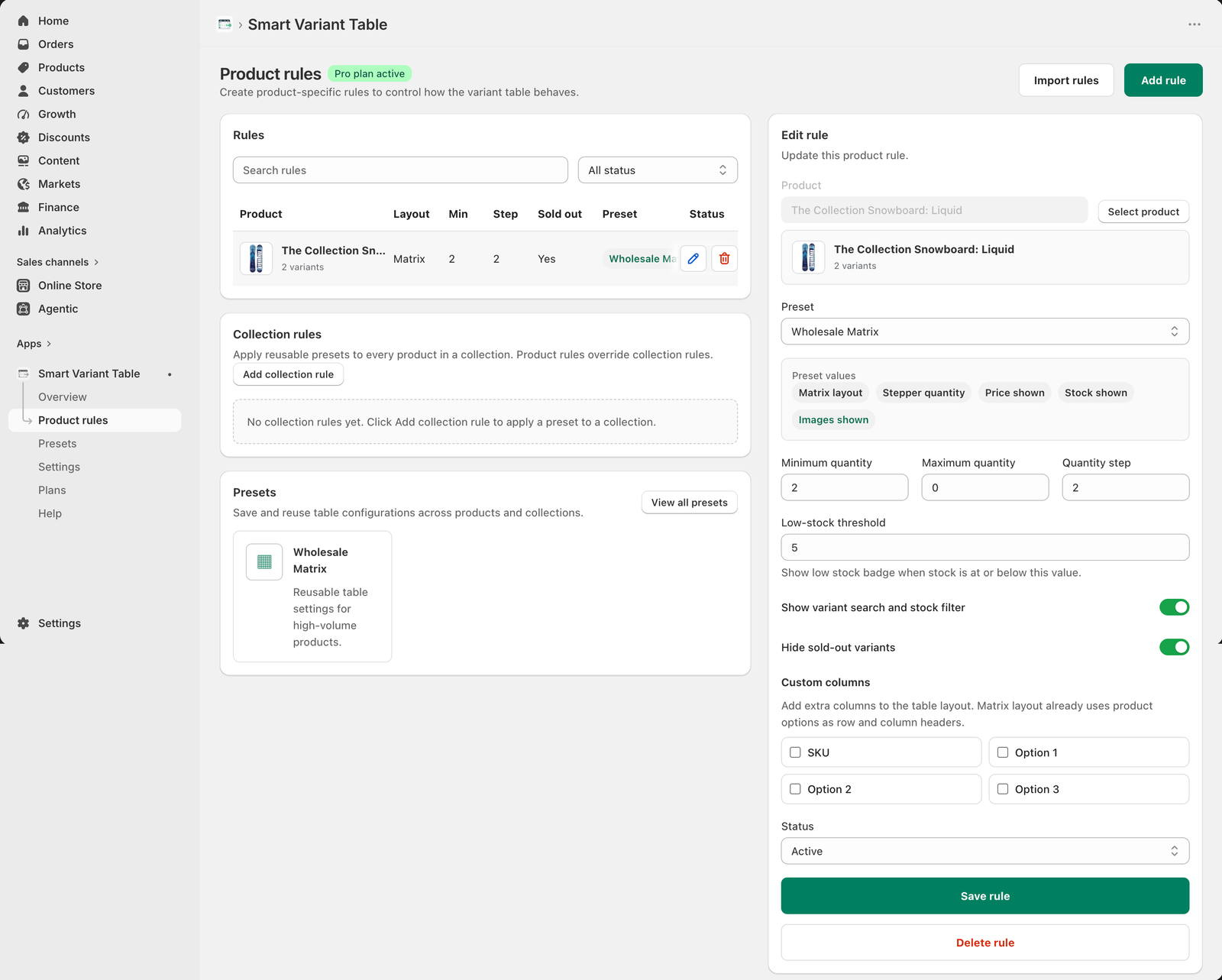
What product rules control
A product rule can choose the product, assign a reusable preset, show the preset values being applied, set minimum quantity, maximum quantity, quantity step, low-stock threshold, variant search and stock filter, sold-out visibility, custom columns, and status.
When to use product rules
Use product rules when a specific product has special buying behavior. A wholesale product may require a Wholesale Matrix preset, minimum quantity, quantity steps, stock filters, and hidden sold-out variants, while a simple product may only need the global table settings.
Product rules override collection rules
If a collection rule applies a preset to many products, a product rule can override it for one product. This gives merchants broad control from collections and precise control from individual products.
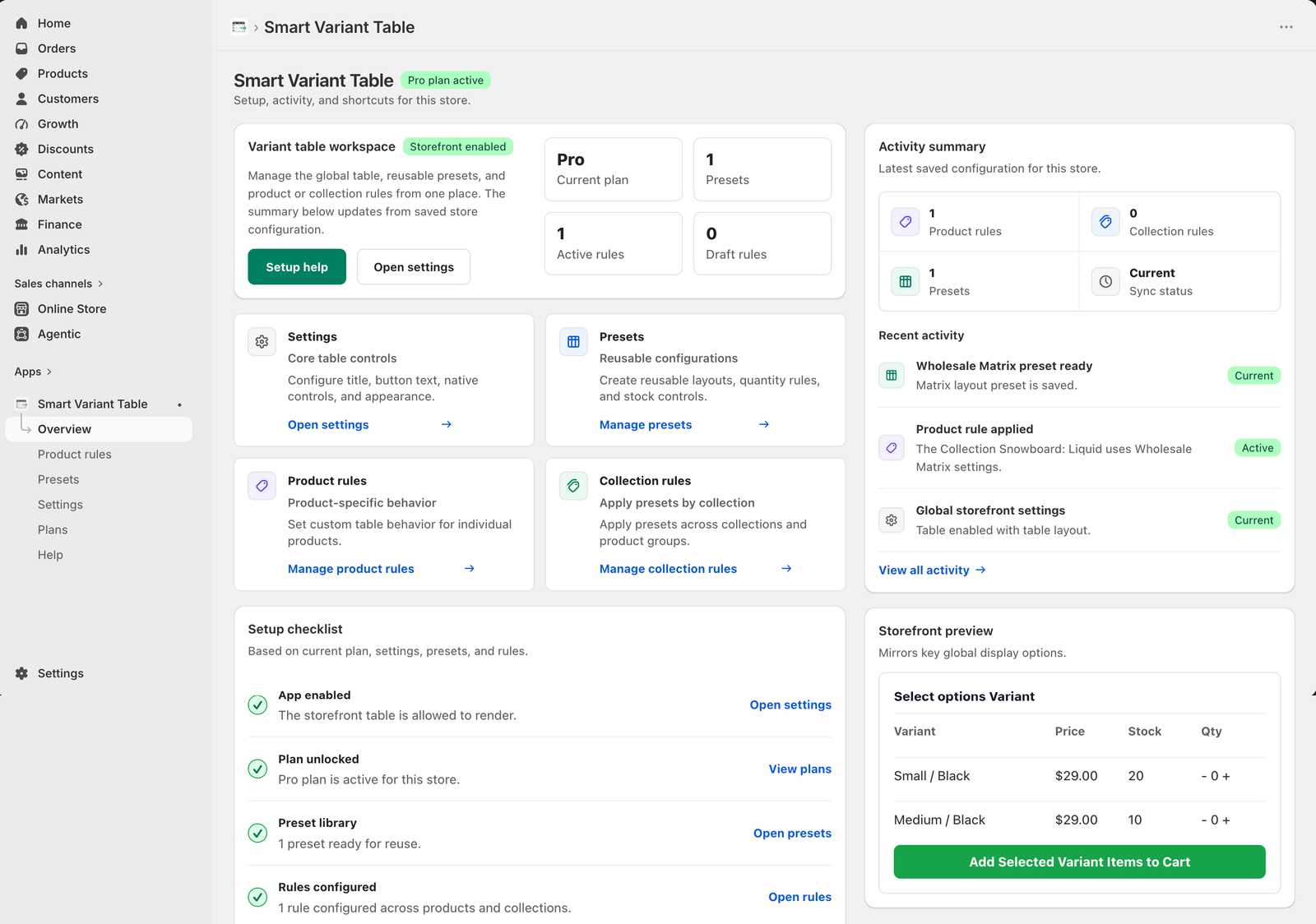
Product rule checklist
- Select the product that needs special table behavior.
- Apply a reusable preset when possible.
- Review the preset values shown in the rule editor.
- Set minimum quantity and quantity step for bulk buying.
- Enable variant search and stock filter when buyers need faster filtering.
- Hide sold-out variants when unavailable options create clutter.
- Use custom columns only when they help buyers compare variants.
Control variant table behavior per product
Use Smart Variant Table Pro product rules for products that need custom quantity, stock, layout, or column behavior.