
Pro Features
How to use Shopify variant table presets
Presets let Shopify merchants save one variant table configuration and reuse it across products or collections. They are useful when many products need the same layout, button text, display toggles, quantity behavior, stock display, colors, and columns.
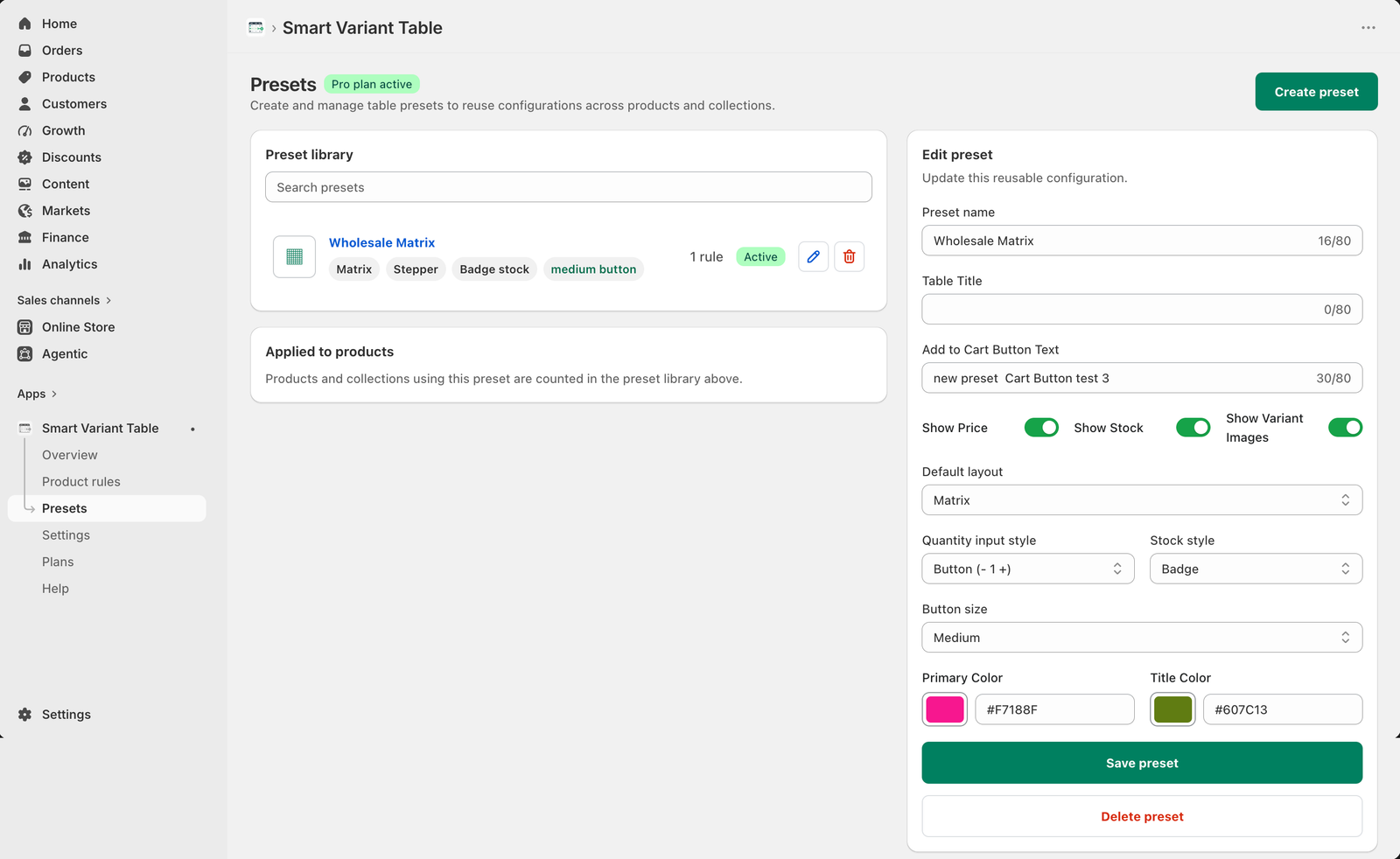
What a preset controls
A Smart Variant Table preset can store the preset name, optional table title, add-to-cart button text, price, stock and image visibility, default layout, quantity input style, stock style, button size, brand colors, and quantity behavior.
When to create a preset
Create a preset when you repeat the same table behavior across multiple products. For example, a wholesale store may want a matrix layout, stepper quantity buttons, badge stock style, medium button size, branded colors, and consistent add-to-cart button text for every high-volume product.
How presets save time
Instead of rebuilding settings for every product, merchants can create one preset and apply it using product rules or collection rules. This keeps product pages consistent and makes future updates faster.
Good for wholesale
Use presets for bulk order products where buyers choose multiple sizes, colors, packs, or quantities together.
Good for repeat catalogs
Use presets when products share the same table layout and buying rules across a collection.
Preset checklist
- Name the preset clearly, such as Wholesale Matrix.
- Choose table or matrix layout.
- Set the table title and add-to-cart button text when needed.
- Choose whether price, stock, and variant images should show.
- Select quantity input style, stock style, and button size.
- Set brand colors for the table experience.
- Use product or collection rules to apply the preset.
Build reusable Shopify variant table layouts
Use Smart Variant Table Pro presets to keep variant-heavy product pages consistent and easier to manage.