
Comparison
Shopify variant table vs variant picker: which is better?
The default Shopify variant picker is simple, familiar, and good enough for many products. But when a product has many sizes, colors, packs, stock states, or quantity choices, a variant table can make the buying flow much clearer.
When the default Shopify variant picker works well
A regular variant picker is a good fit when customers only need to choose one or two simple options. For example, a product with three colors or two sizes may not need a full table because the customer can compare every choice quickly.
Variant pickers also keep the product page compact. If the buying decision is simple and the page does not need to show stock, SKU, image, or quantity data for every option, the default picker can be enough.
Where variant pickers start to slow customers down
The experience changes when a product has many variants. Shoppers may need to click through dropdowns repeatedly just to compare availability, price, pack size, or quantity. That adds friction before the customer reaches the cart.
This matters most for stores that sell apparel, parts, accessories, wholesale items, bundles, consumables, or products where buyers often add more than one variant at a time.
When a Shopify variant table is better
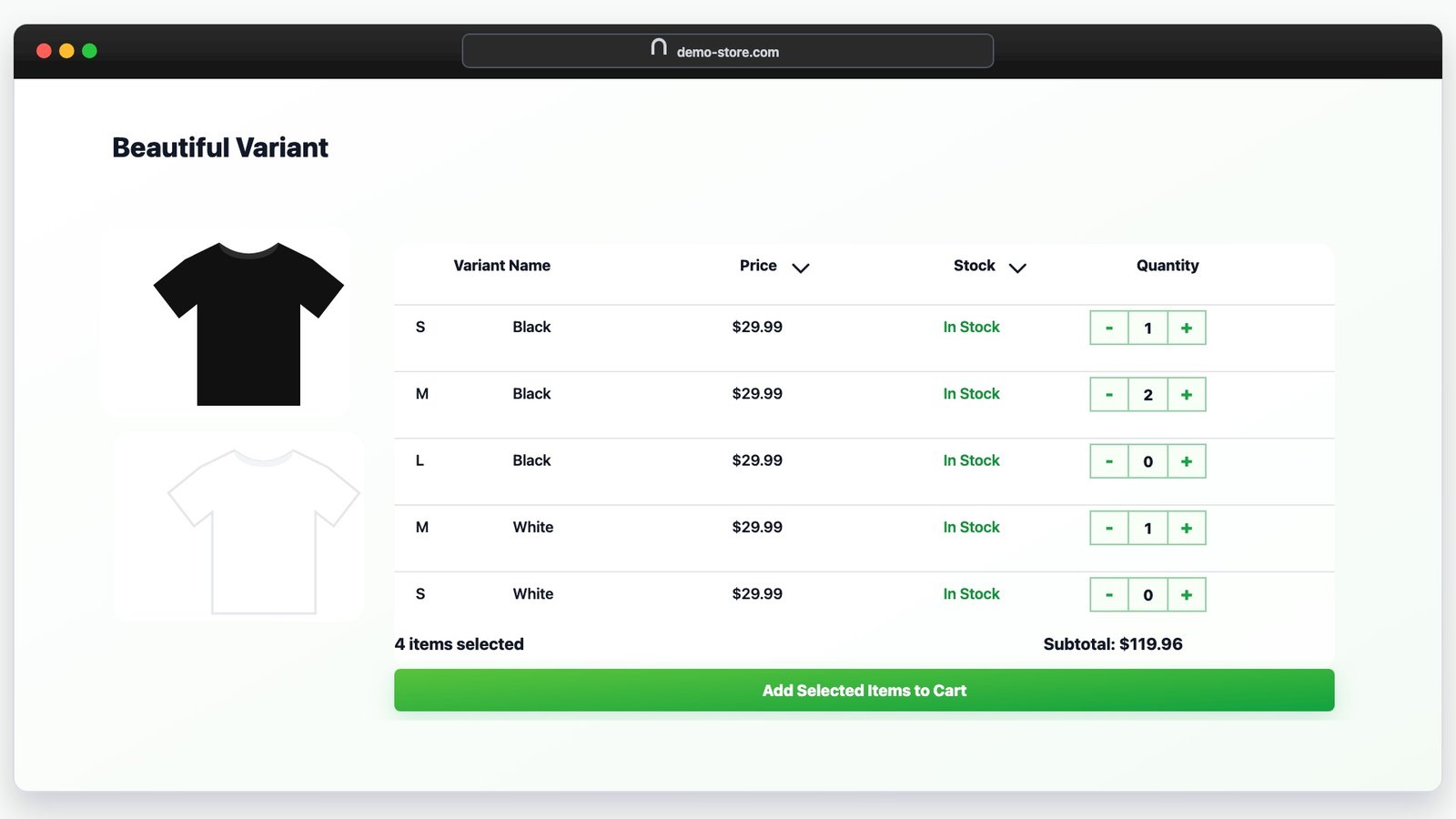
A Shopify variant table works best when customers need to scan and compare options before buying. Instead of hiding important data behind a picker, the table can show variant names, images, stock, prices, quantity selectors, and add-to-cart actions together.
Use a picker when
The product has a small number of choices, one item is usually purchased at a time, and stock or pricing differences are not important before selection.
Use a table when
The product has many variants, customers compare several options, or buyers need to add multiple sizes, colors, packs, or quantities in one visit.
Comparison checklist
- Variant count: more variants usually benefit from a table layout.
- Stock visibility: tables help customers avoid choosing unavailable options.
- Price differences: tables make per-variant pricing easier to compare.
- Quantity buying: tables work well when customers buy multiple variants together.
- Wholesale orders: tables reduce repeated selection for bulk buyers.
- Mobile clarity: a responsive table can be easier than repeated dropdown changes.
Best product types for a variant table
Variant tables are especially useful for products with size runs, color ranges, volume packs, spare parts, accessories, subscription quantities, or B2B order patterns. The key question is simple: does the customer need to compare multiple variants before they buy?
If yes, a table gives them the information earlier and keeps the add-to-cart flow closer to the decision.
How to choose for your store
Start with your highest-traffic product pages that have many variants. If shoppers need to compare price, stock, images, or quantities across options, test a variant table on those pages first. If a product has only a few simple choices, keep the default picker and save the table for more complex buying flows.
Try a cleaner variant table on Shopify
Smart Variant Table helps merchants replace the default variant picker with a no-code table layout for product variants, stock, pricing, quantities, and multi-variant add to cart.